One of the many Good Things that entailed my going on to college was that I personally met some of the most brilliant individuals of my generation, and that I was influenced by them.
In the early 90's Sorin Surdu Bob pushed me to learn C and, as I started humming
Let it Be, assembly language hacking was out and Hello World was in.
By a symmetrical twist of fate, in the late 90's I got to work on a couple of projects with Andrei Alexandrescu, who kicked me out of my C preprocessor habits and thought me
the noble art of C++ templates.
I have been using C and C++ for a quite some time now, taking on jobs where performance was so critical that no other language would've fit the bill. Ranging from code for portable mp3 players to handling thousands of e-commerce transactions per second, none of my projects could've been done in an interpreted language such as say, Python.
But in the last couple of years I found myself in need for developing a
quick prototype (of a graphical user interface). I made the mistake in the past to develop a complete user interface in C++, using
gtkmm. It took a long time, and it was boring. Besides, the speed of C++ was not required, but something to speed up the development would've been appreciated. Of course, there's
Glade, but I set out to see if I can do even better.
So I went shopping for a language to allow me to build a prototype fast, and hopefully have some fun while at it.
The main application was already written, about 60 000 lines of C++ or so at the time, all that I needed was to redesign the UI. Whatever language I was going to settle on, it had to play well with C++.
Enter Python: a fun, no-nonsense object-oriented programming language with good support libraries for Gtk and Glade. And there is a library in
boost that makes integration with C++ a breeze.
I would like to share with you the wonderful experience I had hybrid-programming in C++ and Python.
Imagine that you have an e-commerce application, written in C++ (why in C++ is out-of-scope here, imagine that some else developed it, and that was their best decision at the time when they wrote it). One of the subsystems of this application deals with users, and you would like to quickly add some scripting capabilities to it.
The scripting feature would allow users to quickly extend the functionality of the main application. For example: someone may want to write a script that prints a report of all the newly added users; or write a graphical interface for administering the users in the system; and so on.
Say the central artifact in the subsystem is the User class:
#ifndef USER_CLASS_DEFINED
#define USER_CLASS_DEFINED

#include <string>

class User
{
public:
 explicit User(const std::string& email);
 virtual ~User();

 const char* email() const { return email_.c_str(); }
 void set_email(const std::string& email) { email_ = email; }

 //
 // etc
 //
private:
 std::string email_; // use email account to login
 std::string encryptedPassword_;
};
#endif // USER_CLASS_DEFINED
Here's all the C++ code that you need in order to export the User class to Python:
// file ecommerce.cpp
#include <boost/python.hpp>
#include "user.h"

using namespace std;
using namespace boost:python;

// ecommerce is the name of the Python module that interfaces
// to the e commerce system -- you can name it whatever makes
// most sense to you
BOOST_PYTHON_MODULE(ecommerce)
{
     // init<string> simply means that the constructor
     // takes a string as it's parameter

     class_<User>("User", init<string>())
         .def("email", &User::email)
         .def("set_email", &User::set_email)
         ;
}
Done! Now before you go off and try this at home, there is one detail that needs to be flushed out.
Embedding Versus Extending
There are two ways that C/C++ functionality can be made visible to Python. Which one you choose depends on the legacy C++ code that you have in place. If the C++ code is structured as a set of dynamic libraries (aka shared objects) then you can extend Python by building the above sample into a module, say libecommerce.so.
But if the system is a big monolithic blob, that needs to be run as a standalone application, then you need to embed the Python interpreter in it.
The first approach of extending should be preferred, because then you can combine your module with other Python modules and attain a higher level of versatility.
All you need to do is build your module with a command line like this:
gcc ecommerce.cpp -lboost_python -shared -o libecommerce.so
As you probably figured out, you need the boost_python library. Good news is that you may not even have to build boost_python, rather install the boost-devel package which is readily available for most main-stream Linux distributions. At any rate, detailed instructions on how to download and install boost are available at http://www.boost.org.
Once the module is built, you may import it into Python the usual way:
>>> import ecommerce
and access user objects like this:
>>> user = ecommerce.User('nobody@nowhere.org')
>>> user.get_email()
'nobody@nowhere.org'
If you need to embed rather than extend Python, you need to add this code somewhere in your existing C++ program:
#include <stdexcept>
#include <string>
#include <stdio.h>
#include <boost/python.hpp>

using namespace std;
using namespace boost::python;

bool run_pyhon_script(const string& filename, int argc, char* argv[])
{
    FILE* fp = NULL;
    bool success = true;

    Py_Initialize();

    try
    {
     if (PyImport_AppendInittab("ecommerce", initecommerce) == -1)
     {
          throw runtime_error(
              "could not register module __ecommerce__");
     }
     object mainModule = object(handle<>(borrowed(PyImport_AddModule("__main__"))));

     object mainNamespace = mainModule.attr("__dict__");

     PySys_SetArgv(argc, argv);

     fp = fopen(filename.c_str(), "r");
     if (!fp)
     {
          throw runtime_error(filename + ": " + strerror(errno));
     }

      PyRun_File(fp, filename.c_str(), Py_file_input, mainNamespace.ptr(), mainNamespace.ptr());
    }
    catch (const exception& e)
    {
       fprintf(stderr, "Exception caught: %s\n", e.what());
       success  = false;
    }
    if (fp)
        fclose(fp);
    Py_Finalize();
    return success;
}
Inheritance
Say the User class presented above has a derived class, for example GroupAdmin:
class GroupAdmin : public User
{
private:
 int groupID_;

public:
 GroupAdmin(const string& email, int groupID)
  : User(email), groupID_(groupID)
 { }

 int get_group_id() const { return groupID_; }
 //
 // etc
 //
};
GroupAdmin already is also a User, and it would be nice to preserve the relationship in Python as well.
BOOST_PYTHON_MODULE(ecommerce)
{
     class_<User>("User", init<string>())
         .def("email", &User::email)
         .def("set_email", &User::set_email)
         ;

     class_<GroupAdmin, bases<User> >("GroupAdmin", init<string, int>())
         .def("get_group_id", &GroupAdmin::get_group_id))
         ;

}
Voila. GroupAdmin auto-magically inherits the methods of User when exposed to Python. You can now write extensions to your e-commerce system, manipulating User and GroupAdmin objects in Python.
More Advanced FeaturesThe Boost Python library has built-in support for exposing standard STL containers to Python, and support for handling smart pointers.
Let's imagine that there is a static method inside the User class, that queries user objects by the domain part of their email, like this:
class User {
// ...
  static std::vector<boost::shared_ptr<User> > load_users(const string& domain);
};
As you can see, load_users returns a vector of smart pointers to User objects, rather than a vector of Users. This design minimizes the overhead of copying User objects around.
It takes three steps in order to expose this method to Python scripts:
Register the smart pointer to User objects:
BOOST_PYTHON_MODULE {
// ...
register_ptr_to_python<shared_ptr<User> >();

Second step, expose the vector:
// you need to include:
// #include <boost/python/suite/indexing/vector_indexing_suite.hpp>
class_<vector<shared_ptr<User> > >("UserVec")
         .def(vector_indexing_suite<vector<shared_ptr<User> > true>())
         ;

Finally, expose the method itself as a standalone function:

    def("load_users",
        &User::load_users,
        "load users by email domain" // documentation string
       );
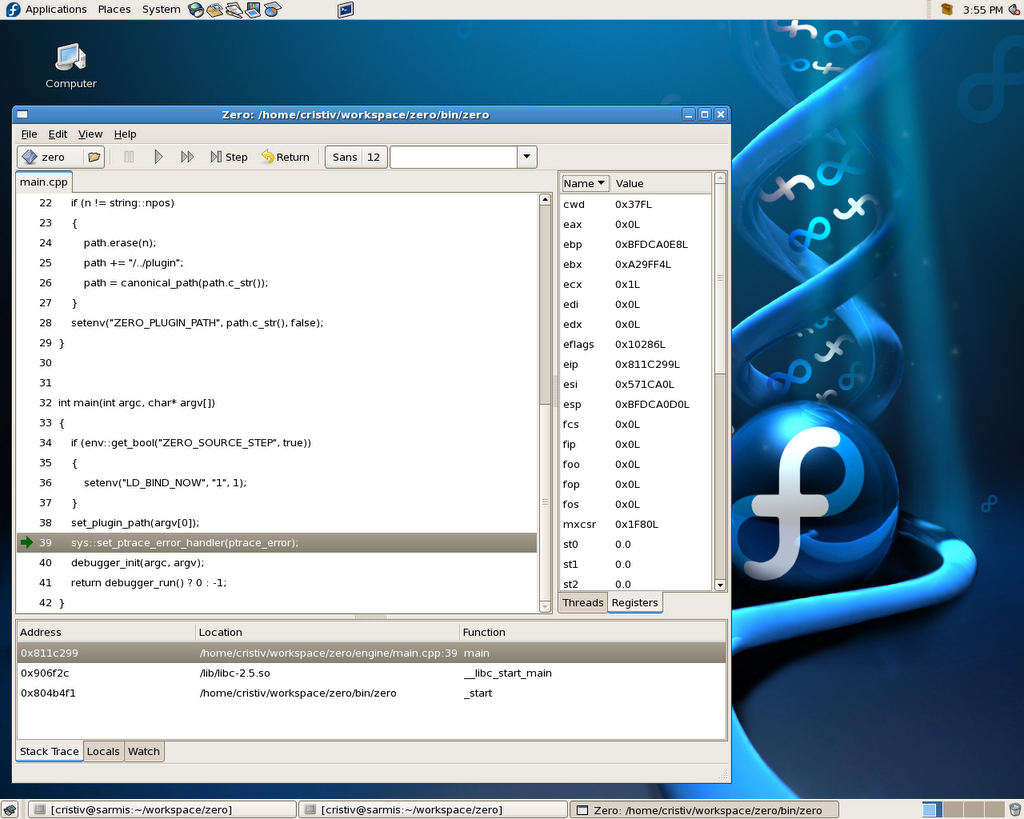
You can see the techniques described above used to hide the complexity of a C++ debugger
here.
C++ is not always the best tool for the job. Thinking hybrid may save you many hours of tedious coding.
 The zero-bugs.com site is about to be revamped, and the side picture should give you a sense of the new look and feel.